

.svg)

.png)
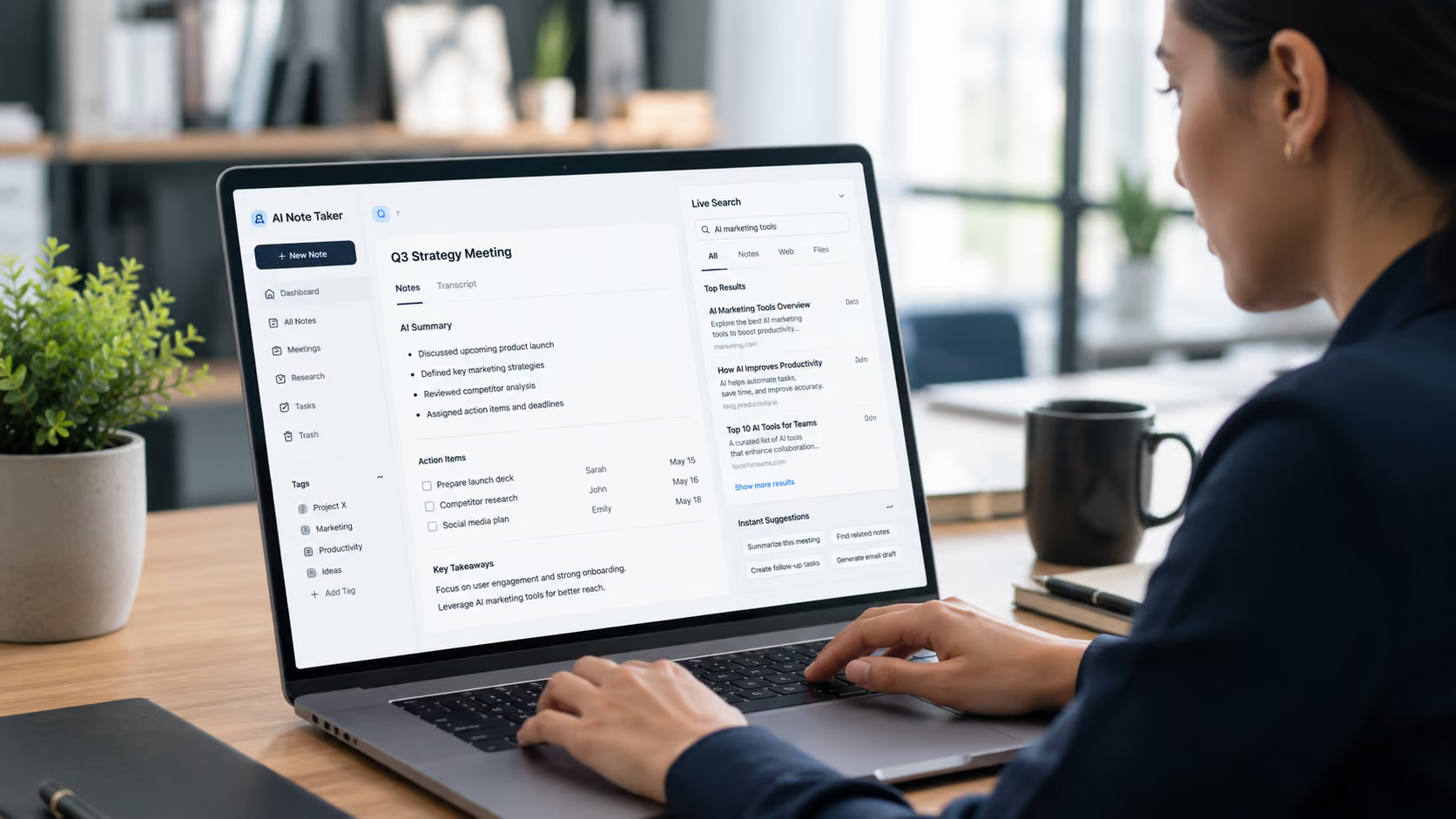
The business world is evolving rapidly. Running from meetings to calls to intensive research sessions can lead to information overload for a contemporary business. Conventional document methods just can't handle the growth of information created. For centuries, individuals have resorted to manual typing or even jotting notes down in a notepad, followed by mountains of text. This creates yet another issue of continually scrolling down a page.
To address this friction, a number of experts are adopting cutting-edge digital solutions that seek not simply to capture words but to organise and present them. So, in terms of an effective fix, the search is on for a workstation that provides the robust collection mechanism of a 'smart library' – put simply, an administrator that takes random exchanges of speech and makes them as easily searchable as corporate information stored on a computer. This article examines how the latest advances in text retrieval are changing how we work every day and why ORO AI is having a major impact.
The Problem with Static Documentation
To the average user, digital notebooks are treated as digital filing cabinets-you place a file there, and it remains until you remove it with a file search. Conventional text files rely on keyword matching, time-consuming scrolling, or memory to locate decisions made hours ago. For example, a technical team lead in need of information from a technical sync three weeks back would navigate through fifteen minutes of multiple files or scroll through many hours of audio recordings.
When documentation is static, so is productivity. For documentation to be effective, it must be immediately available, automatically, so that it knows what information it should provide before the user has to stop what they are doing. That's why the call for a dedicated best note-taker app has evolved from simple transcribers to active context engines.
How the Live Search Feature Works
My brief discussion of instant text retrieval is based on the internal workings of a live search in notes. Here is a Live search in notes. It's not the same as a usual search. Usually, you select Search, type your query, press Enter, and wait for a list of files to appear.
Architectural Efficiency
- Character-by-character querying: As soon as the user types a single character in the search field, the underlying database starts filtering results across all stored documents.
- Context-Aware Mapping: The search goes beyond exact word matches by detecting conceptual relationships, synonyms, and related topics.
- Instant Visual Highlight: Displays the only paragraph, bullet point, or timestamped conversation in the system to date on the screen instantaneously. The results update with each keystroke.
This mechanism keeps instant note search to milliseconds, not minutes. For heavy administrative-overload users, this means your entire meeting history becomes a one-click dynamo-graph.
Understanding Instant Suggestions in a Modern Ecosystem
Searching faster is definitely an advance, but in the case of corporate automation, the goal is to abolish searching altogether. This is made possible by predictive prompts-instant suggestions in note app workflows.
Rather than passively responding to an explicit user command, an intelligent, adaptive system actively tracks the semantics of a modern research paper or conversation. When a certain client name, project phase, or compliance parameter is invoked in a real-time interaction, the workspace proactively displays relevant past links, short filed-background briefs, or earlier to-do list items in an adjacent workspace pane.
Predictive Intelligence: Automatically filling in the gaps between the present (what you are saying now with your mouth) and the past (what you've written in the past): The application will find the files for you without you having to think of searching and search for the files.
Finding Information Instantly During Meetings and Research
This is where a searchable note app gets truly put to the test. If a professional is carrying out a corporate conversation, struggling to manage a client relationship, while simultaneously working through an analysis of some kind, that's a situation where there's absolutely no room for navigating some kind of cumbersome directory structure.
Sales Demos and Client Calls
Whether it's a sales demo on IGT or a client sit-down, client needs are constantly changing. If a prospect brings up a custom pricing tier they found in a sales call from two months ago, a rep can't stop them from finding it on their drive. With an AI powered note taking crowdsource running in the "off" seat, a quick question immediately brings up the exact historical agreement.
Interviews and Hiring Panels
Back-to-back candidate interviews for talent acquisition teams require a note-taking app with a search tool that accurately records competence metrics across multiple portfolios. Interviewers can consult a note-taking app with a search function that generates a comparison of current responses with previous team evaluations or criteria.
Maximising Performance: Stealth Mode and Smart Documentation
Performance that accelerates requires, as a common denominator, special operating environments that turn technological advantage into a distraction rather than an asset. ORO AI comes equipped with dedicated, engineered modules designed specifically for this purpose.
Stealth Mode Deployment
In several executive briefings or confidential corporate advisory sessions, having the AI assistant appear on-screen with the other callers can create an undesired pause in the dialogue. ORO AI offers Stealth Mode, a subtle back-end processing solution that records audio and states (context) and prepares live retrieval streams without appearing on any participant's screen, in full view of the professionals who want to keep their complete attention on human-to-human communication.
Smart Documentation Frameworks
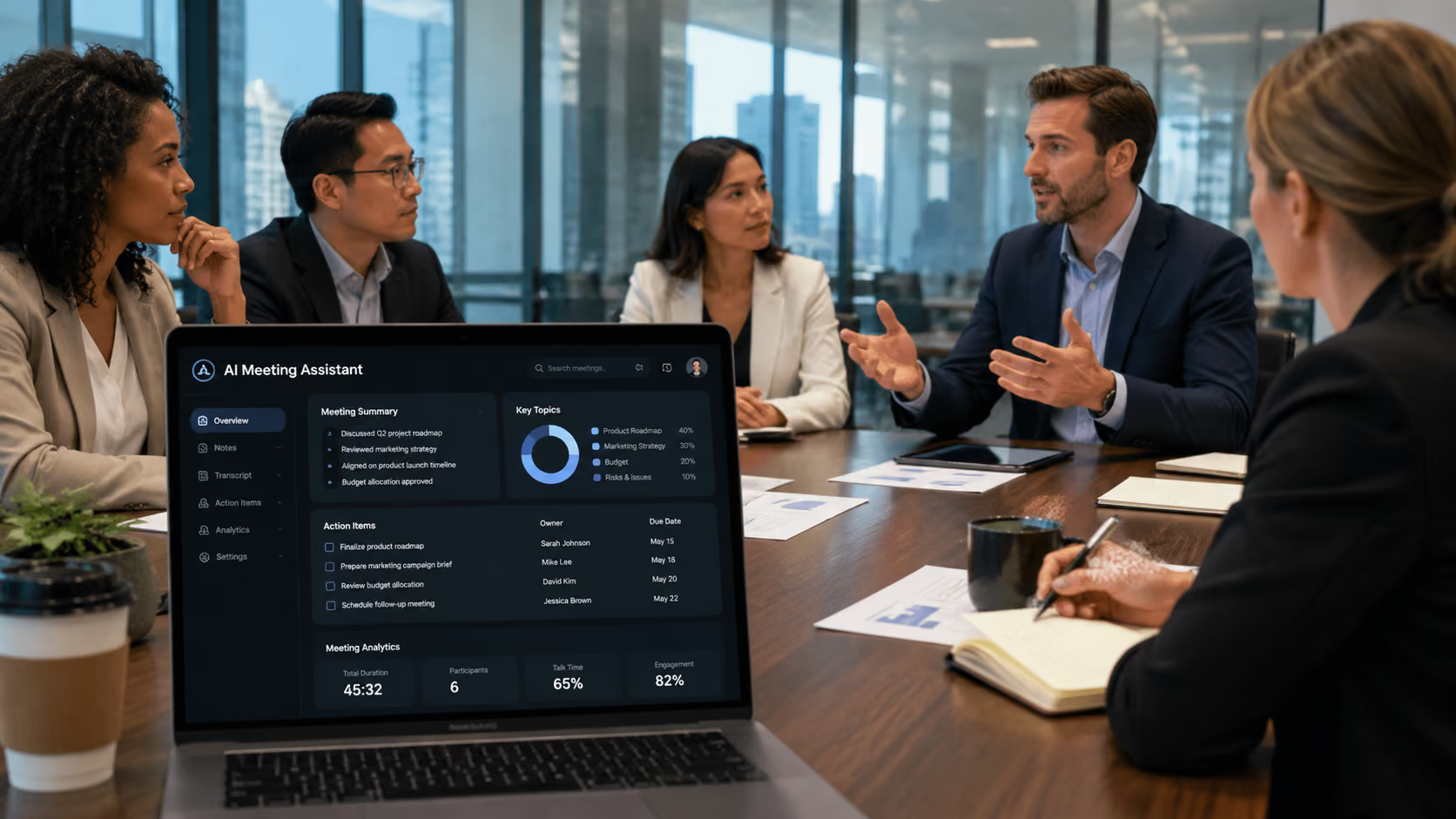
Recording information is merely the beginning; once captured and turned into unstructured raw transcripts, the real refinement of the information for corporate use takes place. The system turns raw transcript text into intelligently formatted, corporate-ready records; action points are sorted from offhand chatter, deadlines are scheduled automatically, and historical data nodes are linked into the text, creating a well-integrated web of data that's 100% easily accessible.
Productivity and Time-Saving Benefits
Adopting an active context system starts delivering in the short-term for rapidly moving organisations. Removing the overhead of manually filing, tagging, and searching for information shaves a substantial amount off end-users' workweeks.
- Zero-Lag Identification: Teams spend dozens of extra hours per week examining entire transcripts or video archives to find relevant discussion excerpts, rather than accessing those clips directly.
- Waxing Accountability: Project owners, noted deliverables, and variable deadlines are automatically filed away to ensure important information doesn't slip through the cracks.
- Ensures Faster Knowledge Transfer: For new team members or during handoffs between departments, an easily accessible information archive enables team members to independently access information to control the transition.
Connecting Your Workflow with ORO AI
Moving toward a deeply calibrated digital work environment means the infrastructure will need to be highly accurate. The ORO AI platform connects the dots between seemingly meaningless data collection and purposeful execution by pairing deep contextual awareness with fast access collection.
To see how automated documentation can transform your business processes, check out the internal workspace solutions available with ORO AI Collaboration Tools. Embed intelligent discovery into your business workflows to cut admin and protect your business information, leaving you free to innovate and grow.



.svg)